Track freelance work from timer to invoice
Traqq helps freelancers connect tracked time with clients, projects, billing, and profitability. Keep your work organized from the moment you start tracking to the moment you send an invoice.







Stay focused on client work, not admin
Freelancers often switch between clients, projects, and tasks throughout the week. Traqq keeps your tracked time connected to the right client and project, so you always know where your hours go.
Track time around your workflow
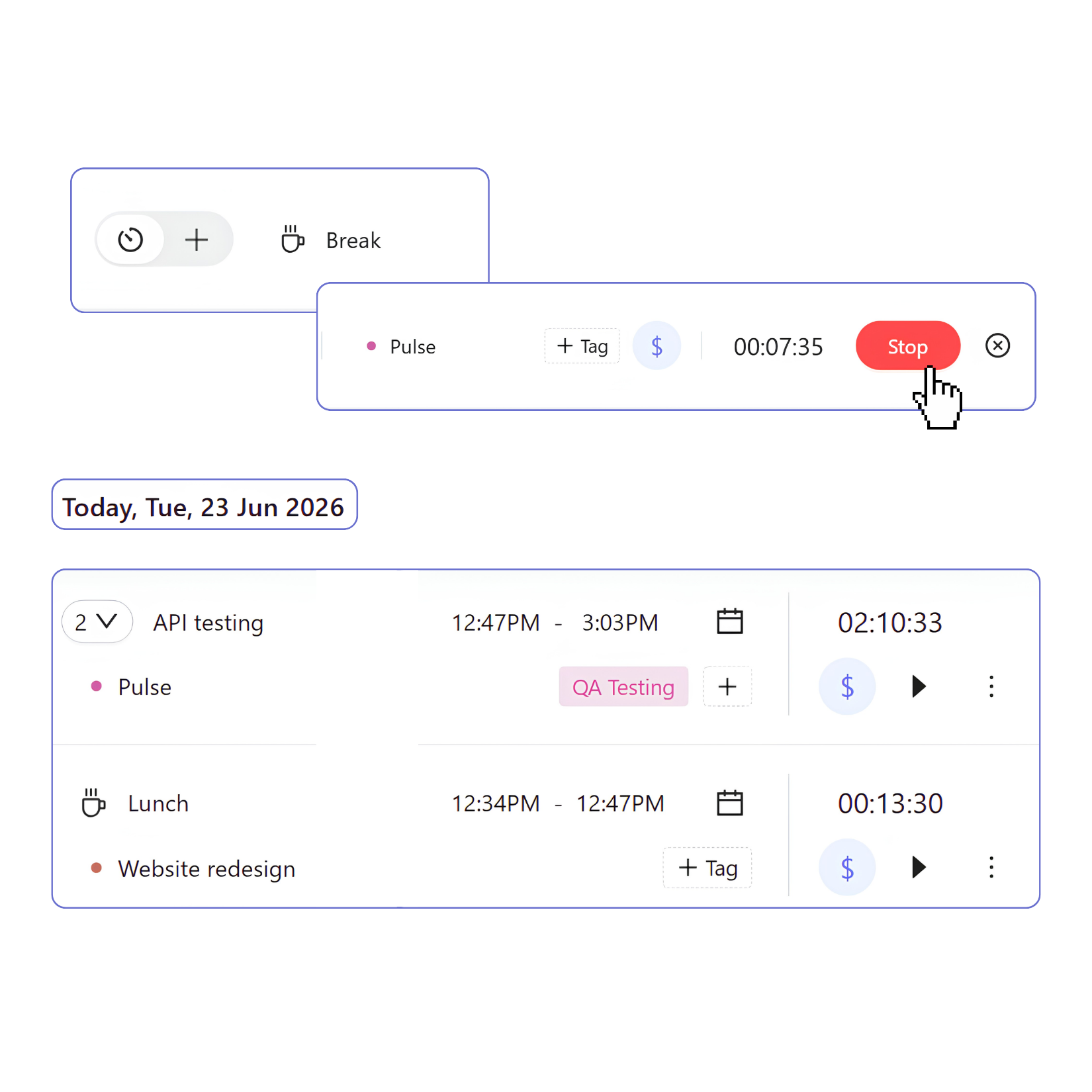
Different projects require different ways to record time. Traqq lets you track work with a timer or add time later without losing project context.
- Start and stop the timer when work begins and ends.
- Add or edit time entries manually.
- Continue previous work sessions.
- Track breaks separately from working hours.
- Work offline and sync your time when you’re back online.
Organize clients and projects
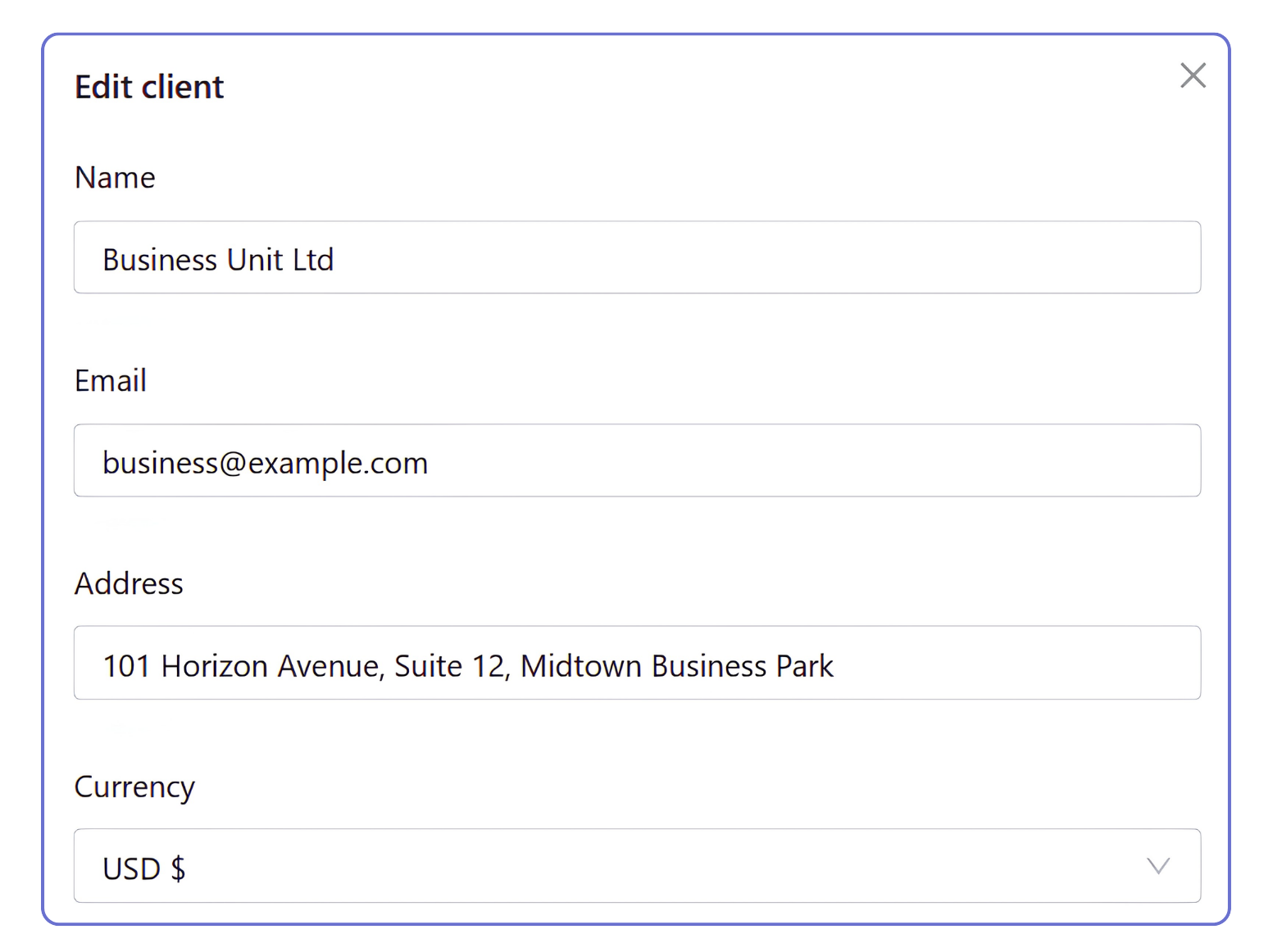
Clients, projects, tasks, and billing details stay connected in one place.
- Add clients and connect them to related projects.
- Assign tasks and tags to time entries.
- Mark hours as billable or non-billable.
- Set project rates and billing settings.
Turn tracked hours into invoices
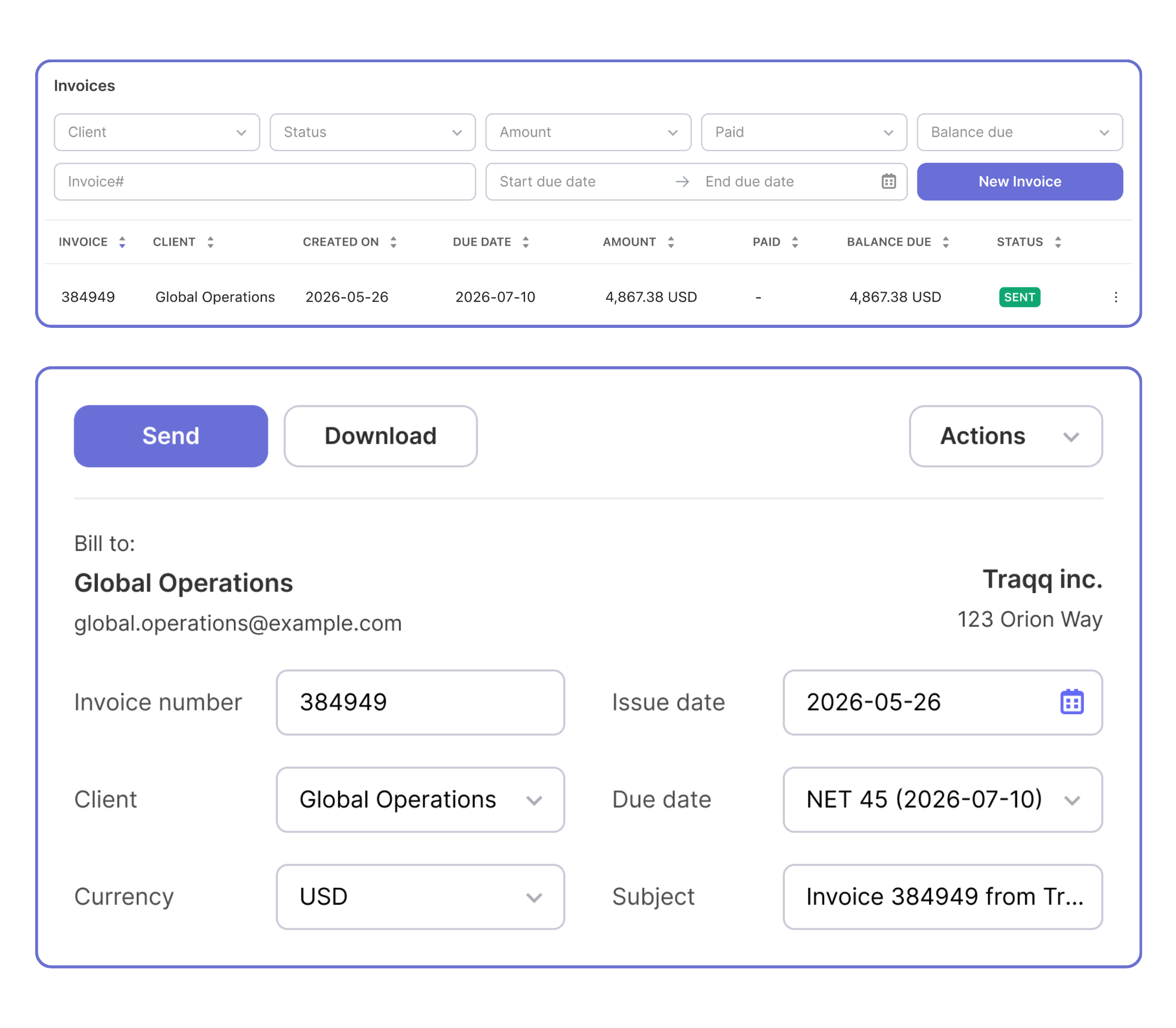
Billable hours and project rates stay connected, so invoices are built from the work you’ve already tracked.
- Convert billable hours and expenses into invoices.
- Apply taxes and discounts.
- Track invoices from draft to paid.
- Record payments and outstanding balances.
Understand which projects are worth your time
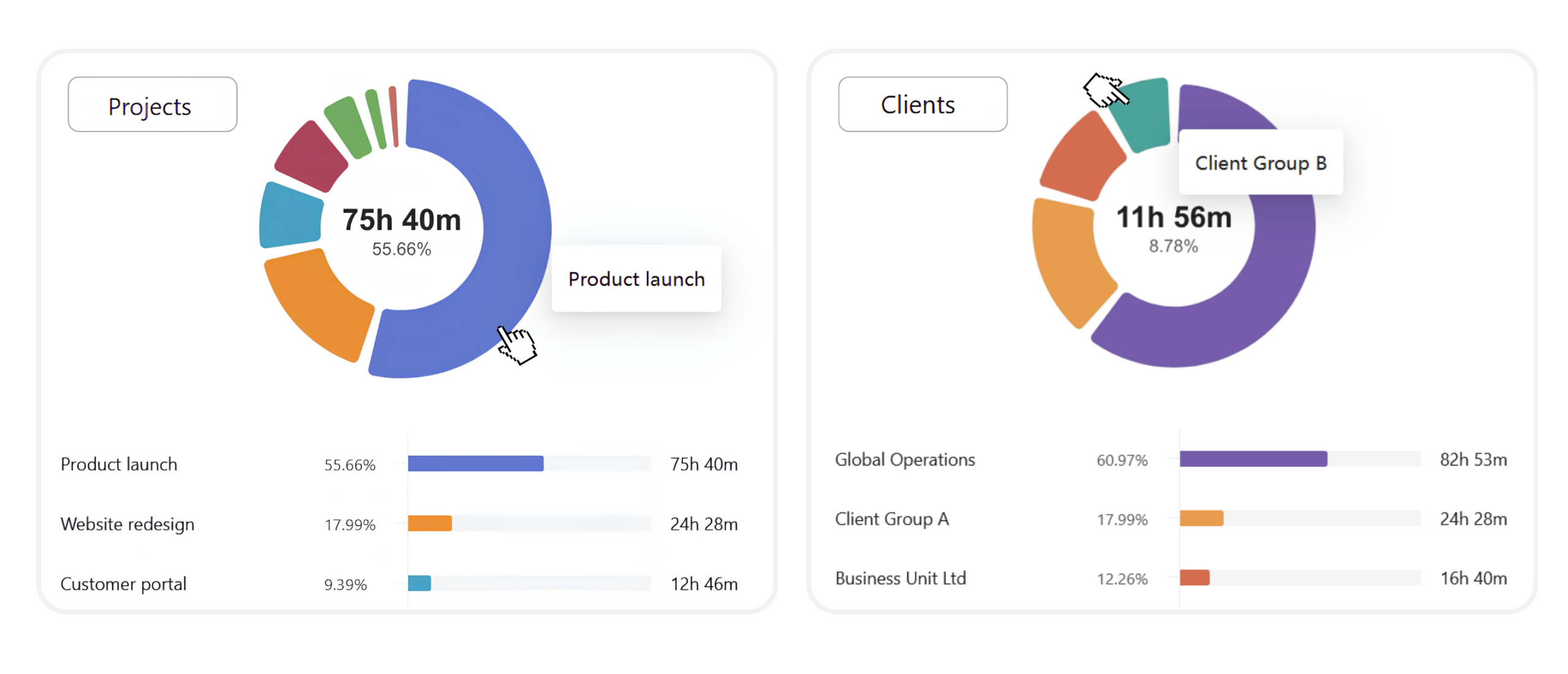
Tracked hours show more than how long you worked. Traqq lets you compare billable and non-billable hours, review project profitability, and identify projects that take more time than expected.
More about freelance time tracking
Why freelancers track billable and non-billable hours
Not every hour spent working is part of a client invoice. Traqq lets freelancers separate billable client work from internal tasks, meetings, and other activities, so they can review where their time goes across projects.
How freelancers use Traqq for client projects
Freelancers can connect tracked time with clients, projects, and tasks. Every time entry stays linked to the work behind it, so hours remain organized across reports, invoices, and project financials.
How freelancers use time tracking for invoicing
Traqq connects billable hours with project rates and billing. Freelancers can create invoices from tracked time, apply taxes and discounts, record payments, and keep billing history in one place.