Track distributed work without micromanagement
Track time transparently without screenshots, activity scores, or hidden monitoring.







Keep remote work visible and organized
Remote teams work across different schedules, time zones, and projects. Traqq connects tracked time with projects, workload, and team schedules, so managers can see how work moves without monitoring every click.
Give teams visibility without monitoring
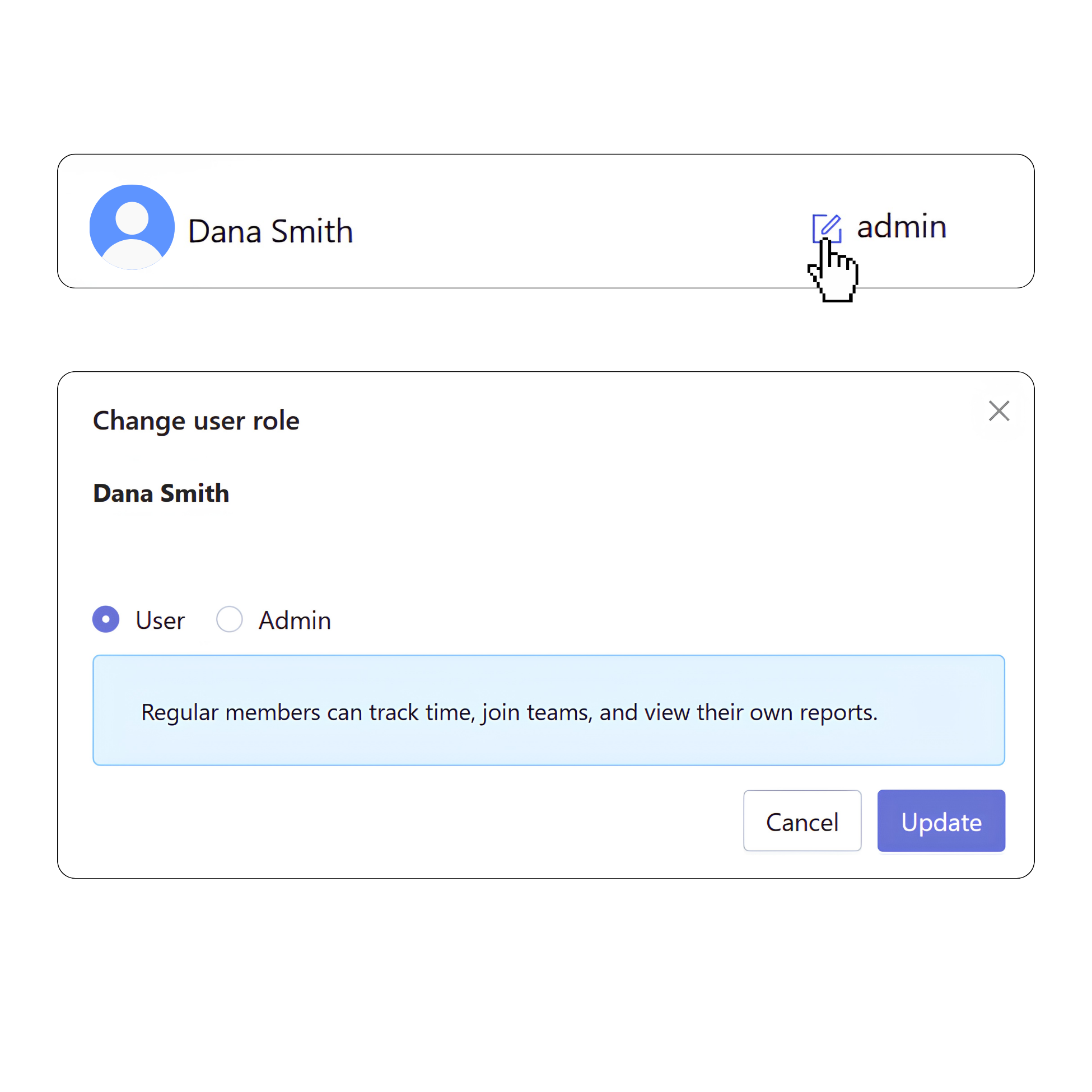
Remote work doesn’t require screenshots or activity scores to stay accountable. Traqq records time by project and task, giving managers visibility into work while employees stay in control of their own time records.
- No screenshots, activity scores, or app and website monitoring.
- Employees always know what data is recorded.
- Managers see tracked time, project progress, and team workload.
- Access to time records and reports depends on user roles.
Capture work across different schedules
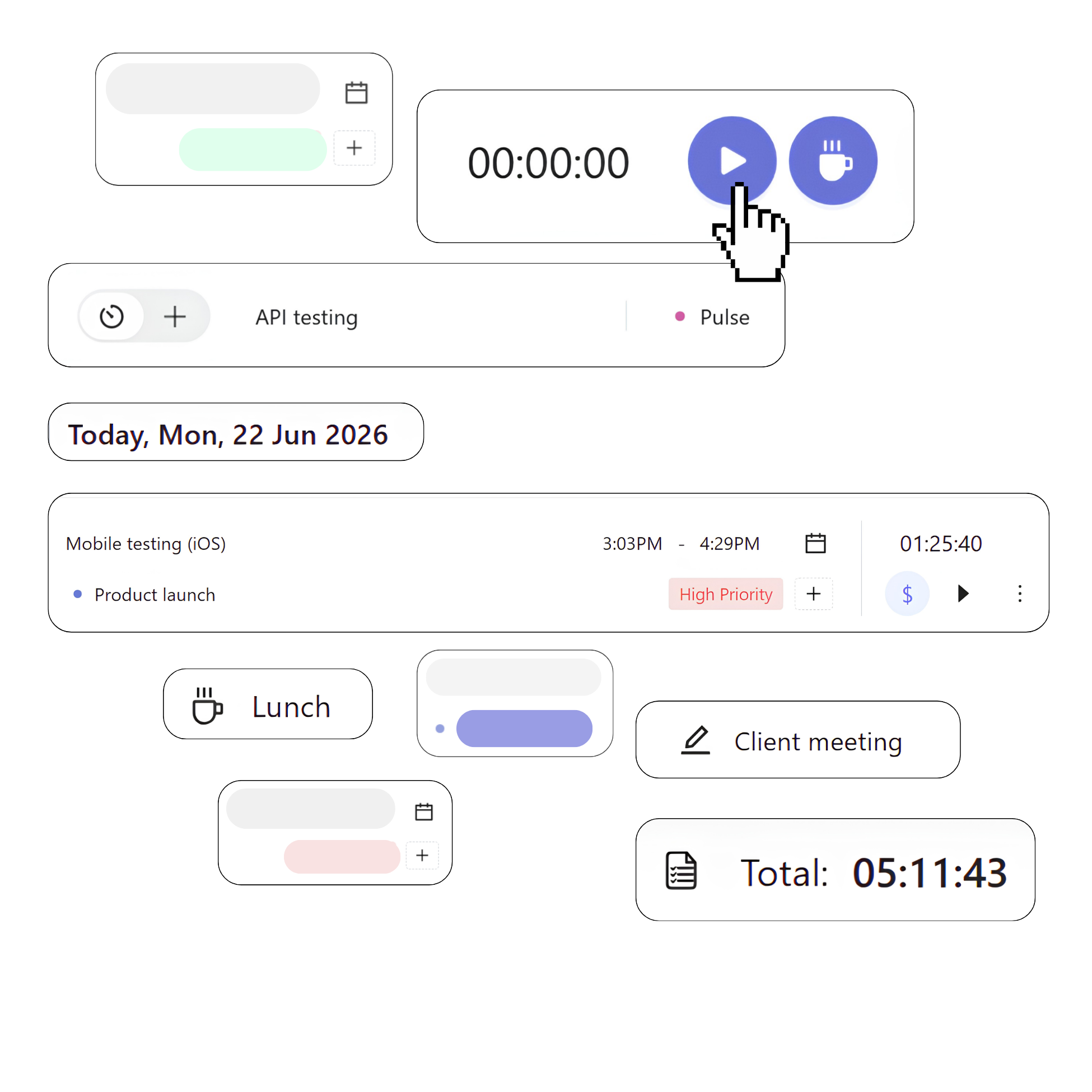
Remote teams rarely work in the same way or at the same time. Traqq keeps every time entry organized regardless of when or where work happens.
- Start and stop the timer when work begins and ends.
- Add or edit time entries manually.
- Track breaks separately from working hours.
- Work offline and sync your time when you’re back online.
Keep distributed teams organized
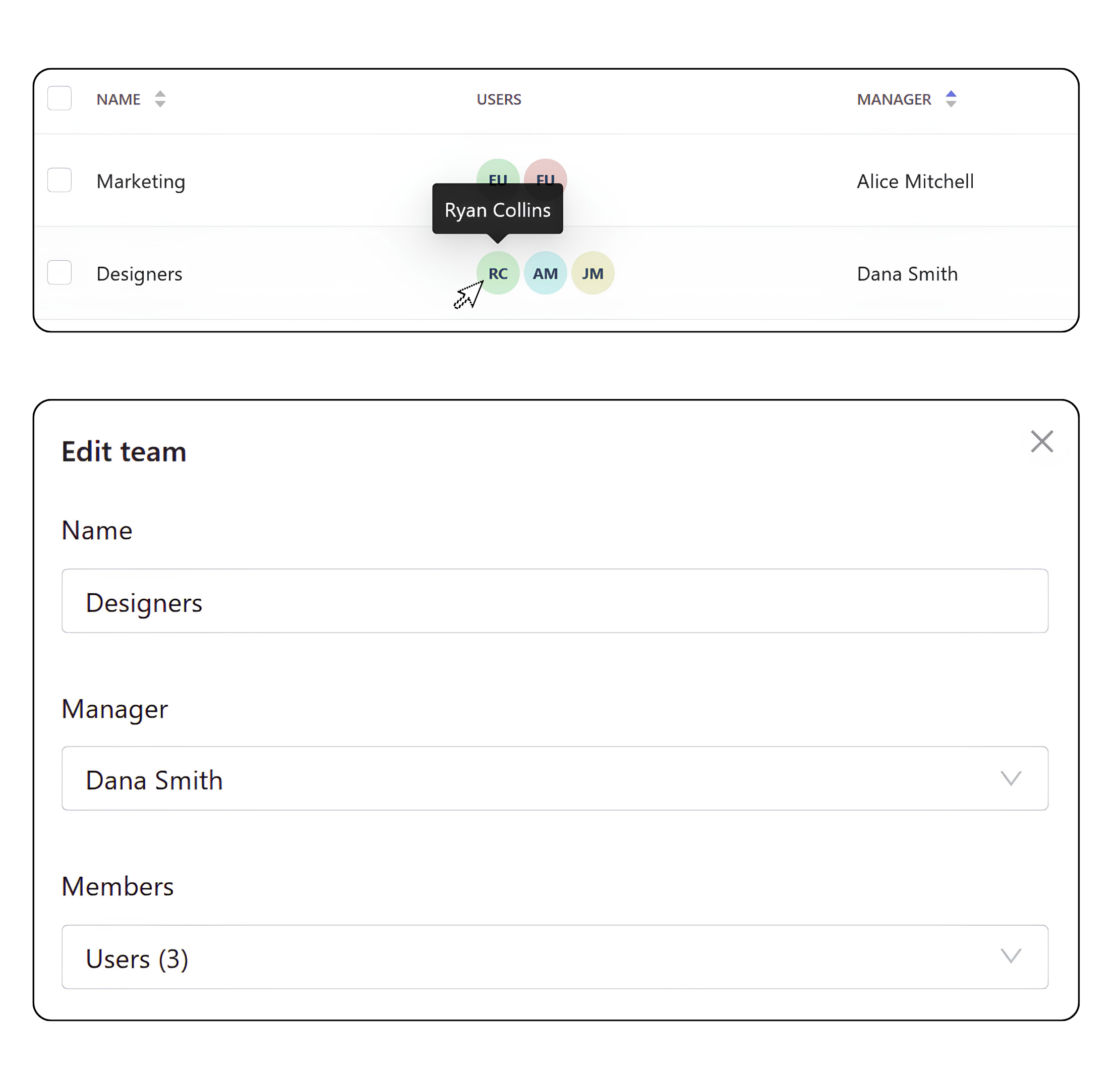
Teams, schedules, users, and permissions stay organized in one workspace.
- Create teams and assign managers.
- Invite users and manage access levels.
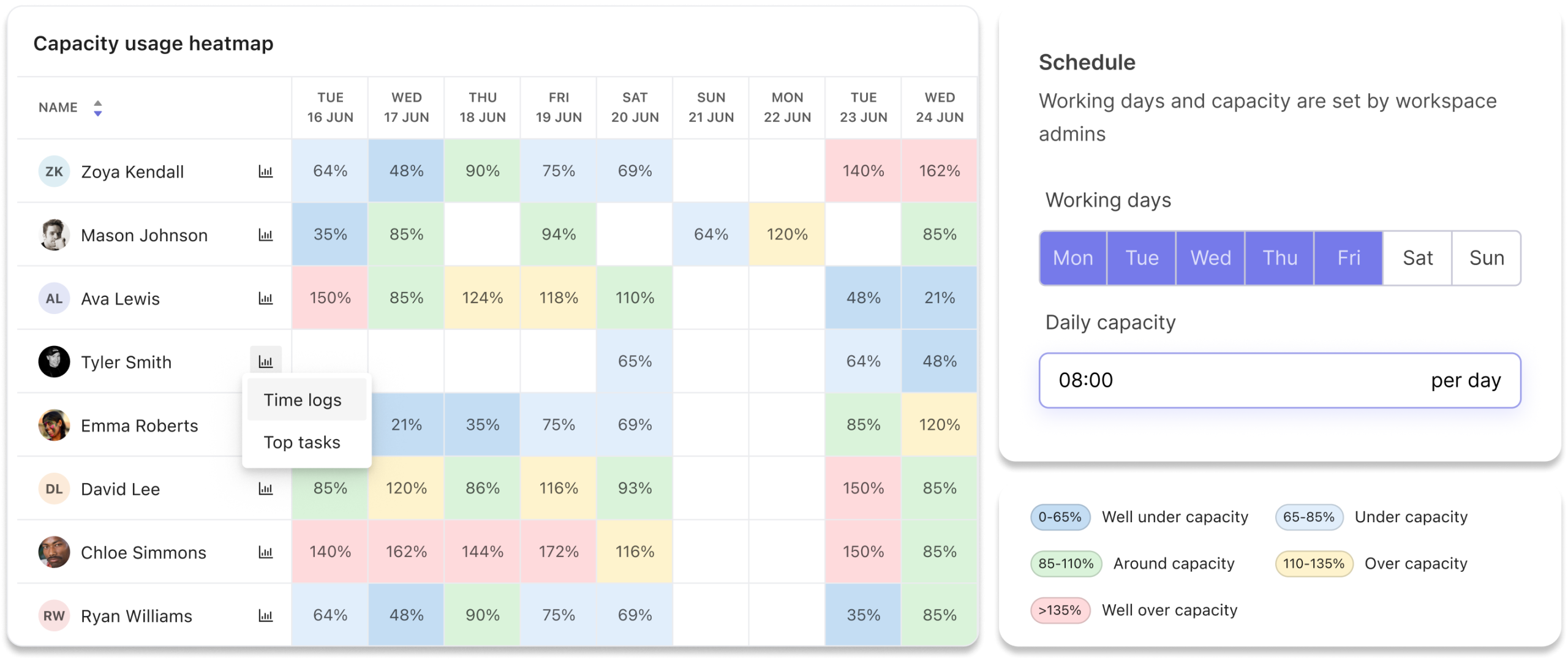
- Set individual schedules and capacity.
Balance workload across remote teams
Remote teams don’t always see when someone is overloaded or when work is spread unevenly. Traqq compares tracked time with available capacity, making it easier to see who’s available, who’s overloaded, and where additional support is needed.
More about remote team time tracking
Why remote teams use Traqq instead of employee monitoring software
Remote teams need visibility into projects and workloads, not screenshots of employee activity. Traqq tracks time by project and task with no screenshots, activity scores, or app and website monitoring. Teams stay in control of their own time records while managers see project progress and workload.
How does Traqq support remote team accountability?
Accountability doesn’t require screenshots or activity scores. Traqq keeps time records connected to projects, tasks, and teams, so work stays visible without monitoring every action.
How does Traqq support flexible schedules?
Remote teams rarely work the same hours every day. Traqq supports timer-based tracking, manual time entries, offline tracking, and individual work schedules, making it easier to keep accurate time records across different schedules and time zones.
Can employees see what Traqq tracks?
Yes. Employees always know what data is recorded in Traqq. There is no hidden monitoring that only managers can see — Traqq doesn’t take screenshots, monitor apps and websites, or calculate activity scores. Users can review, edit, and delete their own time entries when needed.